Training How-To Connect Domain Name
Connecting Your Domain to Your Website
Your domain name (e.g. yourbusiness.co.uk) is your website's address on the internet. This lesson explains how to connect your domain to your SMB Booster website so it's accessible to your customers.
Do You Already Have a Domain?
Yes: You'll need to update your domain's DNS settings to point to your new website. Follow the steps below or contact SMB Booster for help.
No: Contact SMB Booster and we can help you register a domain name for your business.
Below shows the different ways you can connect it yourself.
If you need any further help or clarification then please message.
Option 1 - Connect your domain name using our website editor. Plus how to add a favicon
If you are setup on our website editor then you can easily add your domain name. You should have received login details, if not message us first.
Connect Domain Name
Option 2 - How to connect your Domain Name from your providers website
If you are not using the website editor to connect your domain then to make your website live we need change 2 settings in your domain provider to point your domain name to our website.
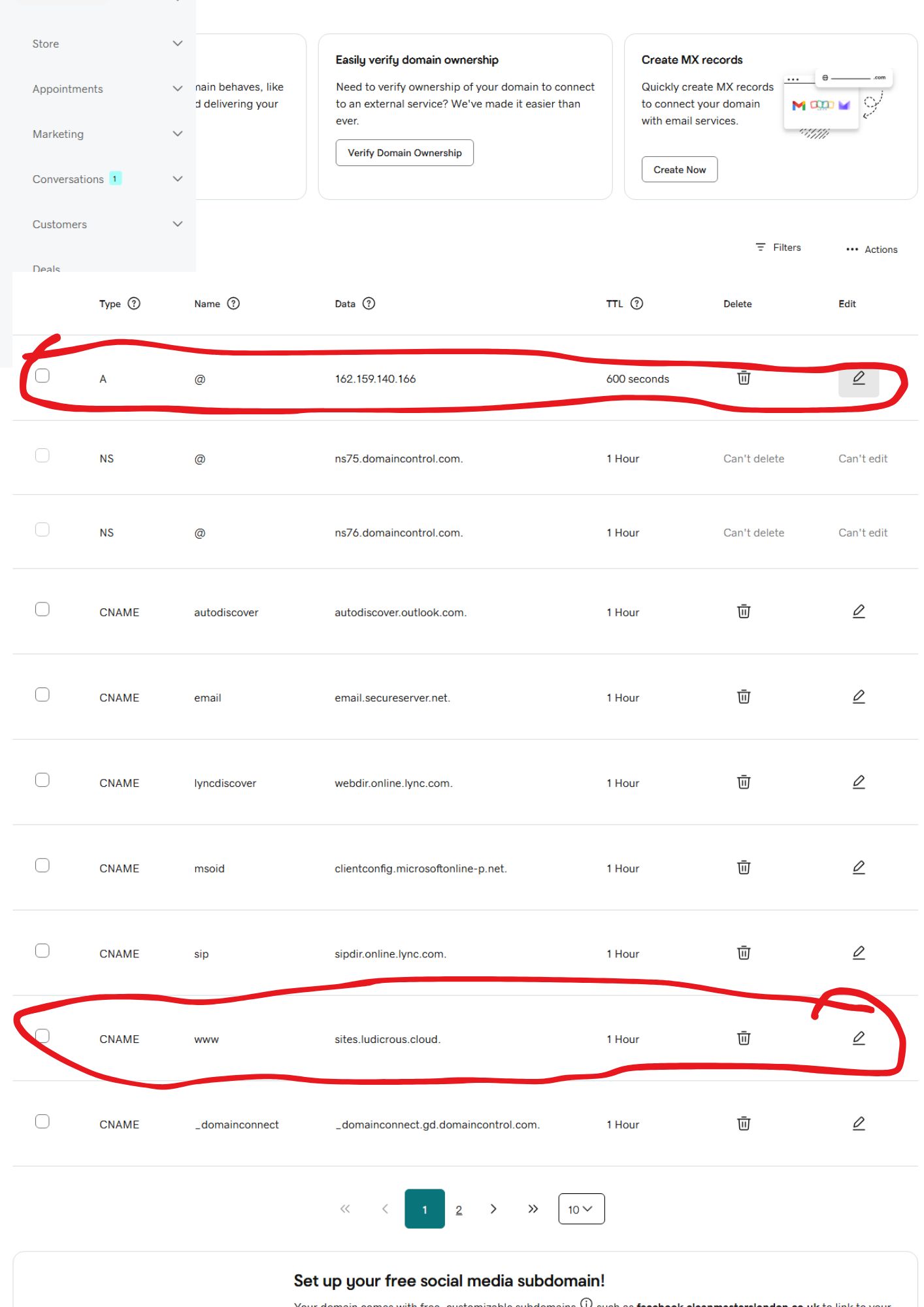
If you login to your domain name provider (godaddy namecheap etc.). The 2 DNS records you need to change in the settings are the A record and the cname record. You will find they usually already exist so you just need to edit them to the values below. If not then create new ones.
Below are the 2 settings that need changing:-
Record host value
A @ 162.159.140.166
cname www sites.ludicrous.cloud
Also if there are any AAAA records can you please delete all the AAAA records
* Once you have changed these settings, send us a message so we can finalise the connection of domain to your website.
Below is a screenshot of Godaddy domain name DNS settings (other providers are similar)